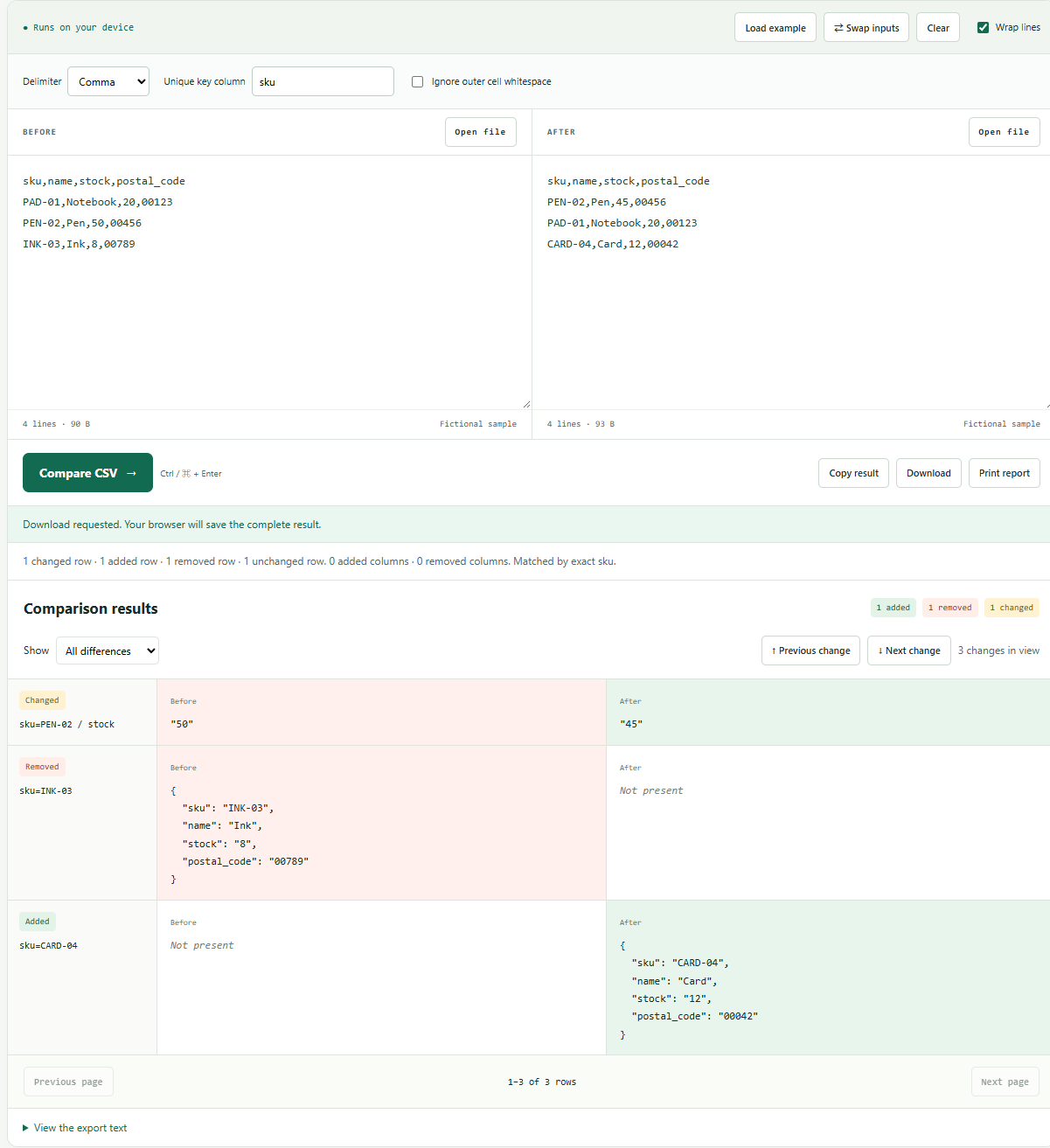
With sku as the key: 1 changed row, 1 added row, 1 removed row and 1 unchanged row.
Open the prepared example ↗Two exports of the same inventory can be sorted differently. A line diff then reports many changes even when most product values are unchanged. A useful comparison first defines identity: in this fictional example, the sku column identifies a product across both files.
Use a three-record inventory
sku,name,stock,postal_code
PAD-01,Notebook,20,00123
PEN-02,Pen,50,00456
INK-03,Ink,8,00789
The new export lists PEN-02 first, reduces its stock from 50 to 45, removes INK-03 and adds CARD-04. PAD-01 stays unchanged.
sku,name,stock,postal_code
PEN-02,Pen,45,00456
PAD-01,Notebook,20,00123
CARD-04,Card,12,00042
Match on the sku header
- Open CSV Compare and load the inventory example.
- Choose Comma and enter
skuin Unique key column. - Leave Ignore outer cell whitespace off and select Compare CSV.
The result should show one changed row, one added row, one removed row and one unchanged row. The changed cell is PEN-02 / stock, from the string "50" to "45". The new order of PAD-01 and PEN-02 is irrelevant because the key establishes identity.
See what positional comparison would do
Clear Unique key column and run the tool again. Now the first data row is paired with the first data row, regardless of sku. The report contains three changed row positions, with no added or removed positions because both inputs have three data rows. This is a different question, not an alternative way to get the same answer.
Positional matching is useful when rows express an ordered sequence and their locations matter. Key matching is useful when rows are independent records. Choose based on the data contract rather than whichever setting reports fewer changes.
Reject ambiguous identity
Add another PEN-02 row to either input. Key matching stops with a duplicate-key error because the tool cannot know which record to pair. It also rejects an empty key or a key header missing from either file. Do not remove duplicates automatically just to make the comparison run; investigate whether the export needs a different unique identifier.
Key values are exact and case-sensitive. The cell-whitespace option affects value comparison, not key identity. A key of PAD-01 does not match PAD-01. If trimming identifiers is an approved business rule, clean the source files explicitly and keep the original copies.
Preserve the meaning of cells and headers
Every CSV cell remains a string. Postal code 00123 differs from 123; stock 50 differs from 50.0. The comparison does not infer numbers, dates or equivalent currencies. Headers identify columns, so moving a column does not create cell changes. Renaming a header is reported as a removed column and an added column.
Quoted commas and line breaks belong inside a cell when the CSV is correctly quoted. A malformed row or duplicate header stops processing rather than shifting later values into the wrong column. Both files use the selected delimiter; convert them first if their delimiter conventions differ.
Keep a reproducible reconciliation
Download the JSON report. It records the matching key, whitespace setting, row counts, column additions and removals, and individual differences. Added or removed records include their complete cells. The report is a review artifact, not a SQL update or an import file for an inventory service. Review changed identifiers and units before taking any action in another system.
Reference: RFC 4180: CSV fields, quoting and records. Product names and quantities in this example are fictional.
Check your result
With sku as the key: 1 changed row, 1 added row, 1 removed row and 1 unchanged row. Compare your downloaded result with the expected-result file, then change one input value and run again.